LINQPad: The Ultimate .NET Scratchpad
LINQPad can run not only LINQ queries, but any C#/F#/VB expression, statement or
program.
For instance, have you ever needed to test a DateTime format string? In LINQPad,
just enter the expression and hit F5:
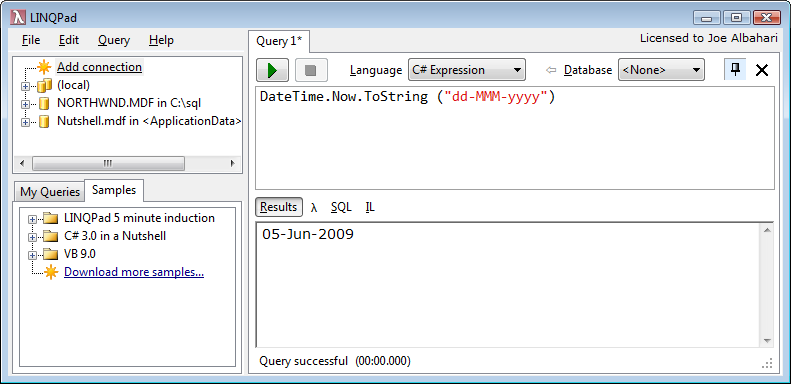
With LINQPad's instant edit/run cycle and optional full autocompletion,
you'll have code snippets fully tweaked in less time than it takes to
bring up Visual Studio's Add Reference dialog!
What about testing a regular expression? You'll start using Regex a lot more once you have LINQPad:
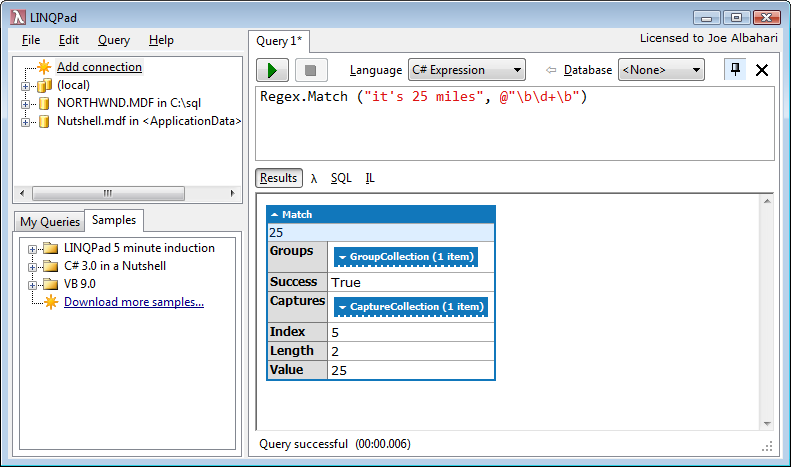
Notice how LINQPad nicely formats the Match object. Complex object graphs
are much more readable in LINQPad's output window.
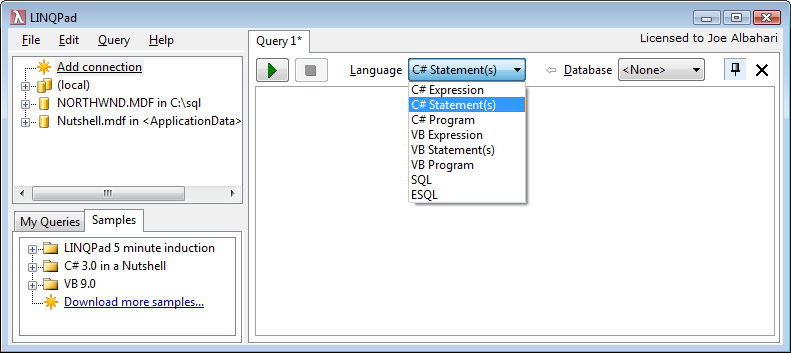
To run a series of statements, just change the "Language" combo
to Statements (or hit Ctrl+2):
Now we can really start having fun. Let's create a new RSA public/private
keypair, and then encrypt and decrypt some data:
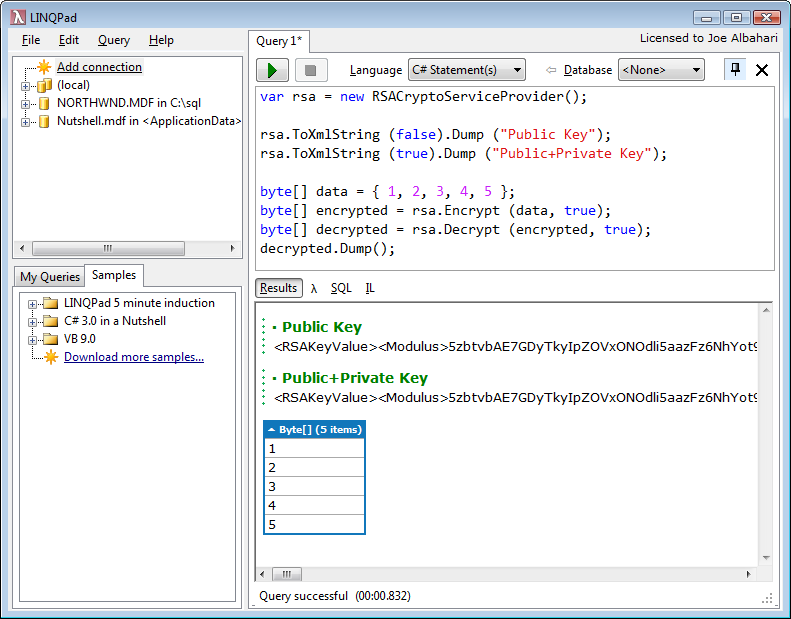
Again, you can keep tweaking your code until it does what you want, then paste
working code into Visual Studio.
You can even run a full program with additional methods: just change the
Language to Program, and LINQPad will wrap your code in a
Main method so you can write additional methods and classes.
Need to reference custom assemblies or NuGet references? No problem: just hit F4 for the Add Reference dialog.